

A Case has been Assigned to You Email Notification
From: Staff User First and Last Name (staffusername @ navigatesupport.buffalostate.edu)
Sent: Monday, March 2, 2026 12:36 PM
To: Staff User Last Name, First Name (staffusername @ buffalostate.edu)
Subject: [Case Assigned] Recommend Pass/Fail or Withdrawal for (Student First and Last Name)

A Case has been Assigned to You
Student
(Student First and Last Name)
Alert Reasons
Recommend Pass/Fail or Withdrawal
Alert Issued By
(Staff User First and Last Name)
View Case Details
You can also copy and paste this address into your web browser
https:// buffalostate.campus.eab.com/cases?case=10736-recommend_passfail_or_withdrawal

Please Note:
View Case Details
- In your actual, A Case has been Assigned to You email, the View Case Details will be hyperlinked. When you click on the View Case Details hyperlink, you will be taken to your students' Manage Case details screen. From there, you can read all Case Activity including any comments, you may add comment(s), or if appropriate, you may Close the Case.
You can also copy and paste this address into your web browser
Below is an example URL.
https:// buffalostate.campus.eab.com/cases?case=10736-recommend_passfail_or_withdrawal
- When you select the URL link or copy and paste the URL link into your browser (Chrome or Firefox), you will be taken to your students' Manage Case details screen. From there, you can read all Case Activity including any comments, you may add comment(s), or if appropriate, you may Close the Case.
When selecting either the View Case Details hyperlink or the URL link, you need to be signed into your Navigate account to be taken directly to your students' Manage Case details screen. If you are not signed in, you will be required to authenticate your account by entering your username and network password.
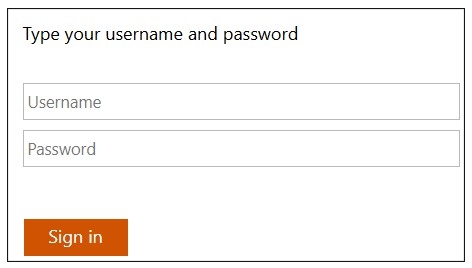
- Enter your staff username.
- Enter your staff network password.
- Select the Sign-in button.